
2022-09-22 v2.0.1.333
2022-09-22 v2.0.1.333
New Sales Reps Report
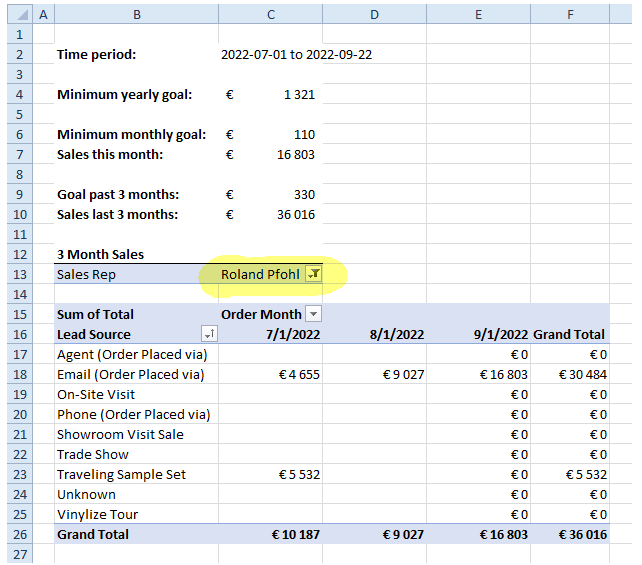
I've highlighted where you have to select one of the sales reps, the numbers then update automatically. At the top you have some summary values, and then in the pivot table below you have it all broken down by month and lead source.
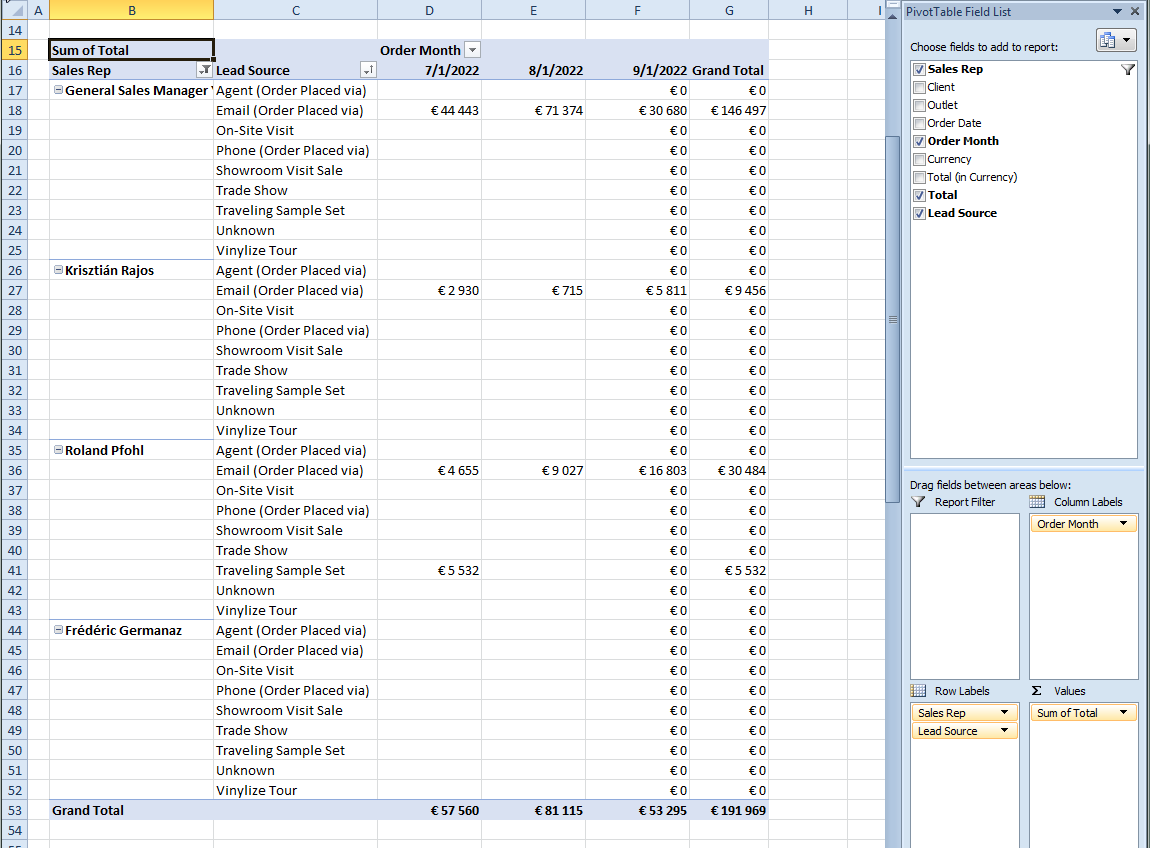
If you want to see data for more than one rep, you can play with the pivot:
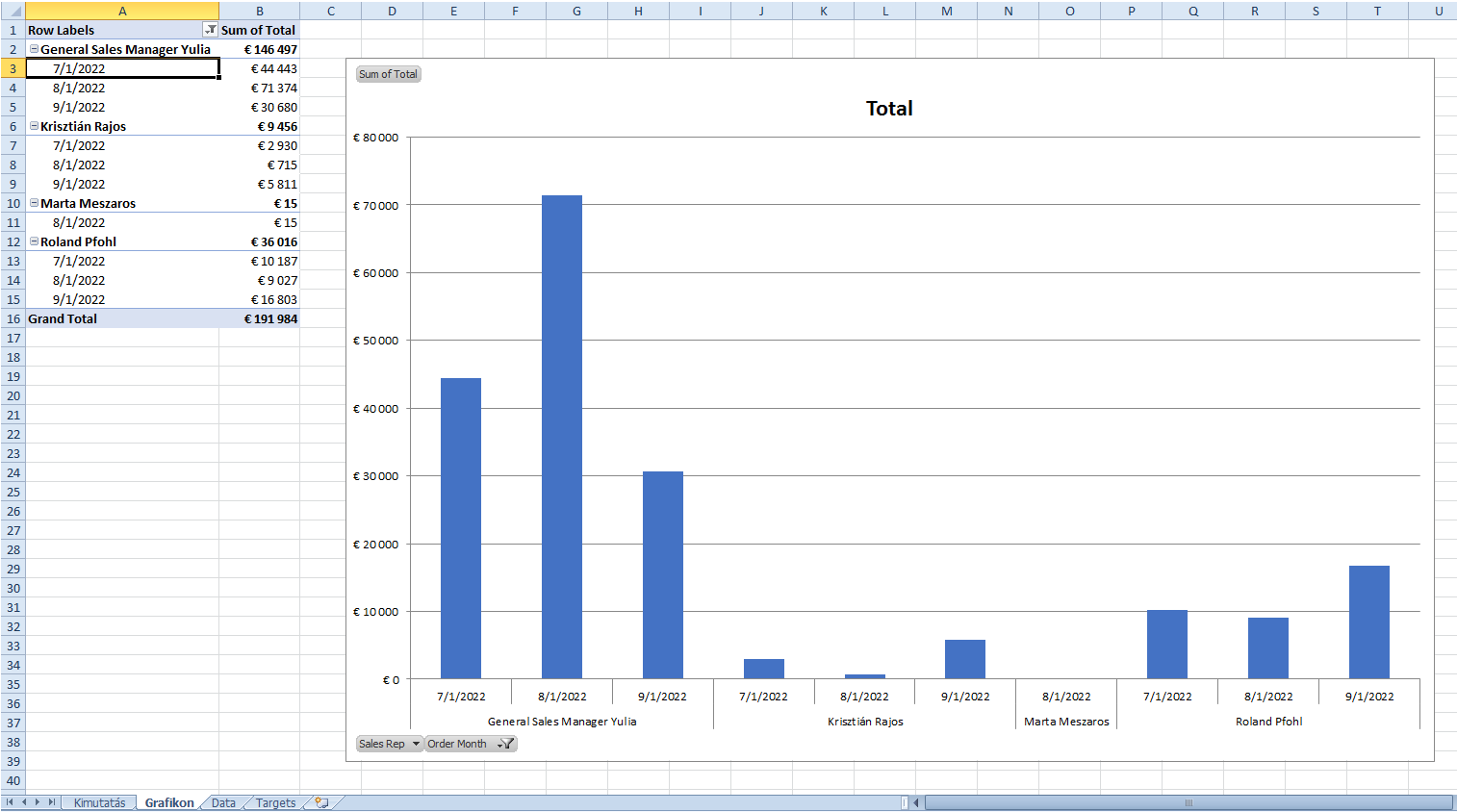
I've also added a pivot chart that you can play around with:
You can generate the report here:
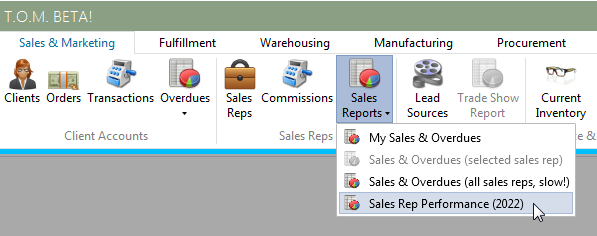
The report shows all sales reps for managers and admins, and only the current user's data for regular users.
I also filtered the report to only show sales for sales reps who have a corresponding user set in TOM, so sales reps such as "Silas Seattle" or "Bernard King" are not included (but let me know if this is wrong):
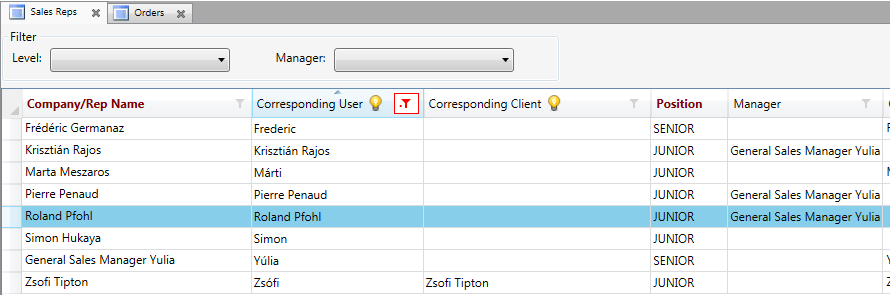
The template for this report can be maintained here:
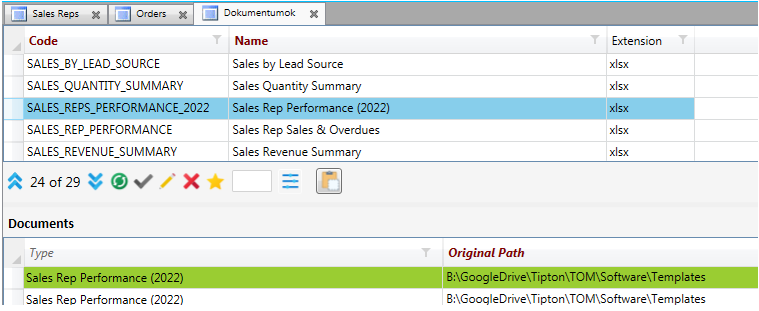
Things to do:
(1) You will have to enter monthly average exchange rates for the current and past months when generating the report, so that TOM can calculate EUR sales values for HUF and USD sales:
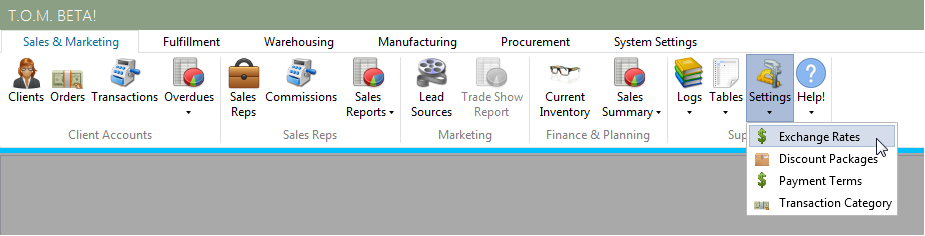

Here is a good website to get average monthly rates: https://www.x-rates.com/average/?from=EUR&to=HUF&amount=1&year=2022
Zack, if you want I can program TOM to grab these rates automatically and store it daily, but this would involve 4-6 hours of programming (expensive!). For now we agreed that you guys will just enter the rates manually.
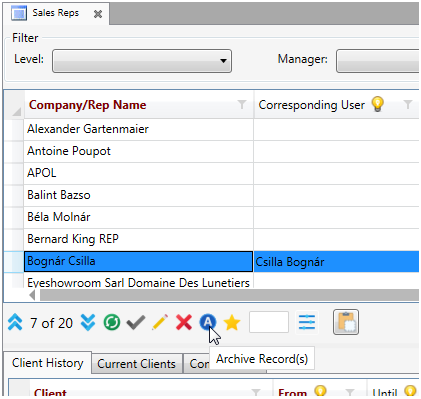
(2) It would be a good idea to go through and archive all old / inactive sales reps in TOM. You can just use the "Archive" button:
No Comments